Smart Apartment Setup 2026: Your Complete DIY Guide
Look, I get it. You're tired of living in a space that feels stuck in 2015. Your apartment could be smarter, more functional, and honestly — way more enjoyable. The good news? A truly smart apartment setup in 2026 doesn't require you to be a tech wizard or drop a fortune on complicated systems. It's about making intentional choices that actually work with your lifestyle, not against it.
Here's the thing about smart apartments — they've become surprisingly accessible. What used to cost thousands and require professional installation? Now you can do it yourself with products that actually integrate with each other. I'm talking voice control, automated lighting, smart thermostats, and security systems that don't make you feel like you're living in a dystopian novel. The beautiful part is that you can start small and build from there.
In this guide, I'm walking you through everything you need to transform your apartment into a genuinely smart space. We're keeping it real — realistic budgets, practical steps, and advice based on what actually works in 2026.
What You'll Need
Before you start assembling your smart setup, let's talk materials. I'm breaking this down into categories because honestly, you don't need to buy everything at once.
Smart Hub & Voice Control
- Amazon Echo Dot (5th gen) — $60
- Google Nest Hub — $100
- Apple HomePod mini — $99
Lighting Control
- Philips Hue Smart Bulbs (Starter Kit) — $80-100
- LIFX A19 Smart Bulbs (4-pack) — $70
- Smart Light Switches (Lutron Caseta) — $70 per switch
- Motion Sensor Switches — $40-60
Climate Control
- Ecobee SmartThermostat with Voice Control — $180
- Nest Learning Thermostat — $250
- Smart Humidity Monitor — $30
Security & Monitoring
- Wyze Video Doorbell — $40
- Ring Video Doorbell (budget option) — $60
- Window/Door Sensors (4-pack) — $50-80
- Motion Detection Cameras — $50-100
Power & Connectivity
- Smart Power Strips (4-pack) — $60
- WiFi 6 Router — $120-200
- Mesh WiFi System (2-pack) — $150-300
Additional Essentials
- Smart Plugs (pack of 4) — $40
- Smart Blinds or Motors — $150-400 per window
- Water Leak Sensors (3-pack) — $40
- Installation hardware & cables — $50-100
You can source most of these from The The Home Depot, Amazon, or Best Buy. Honestly, The Home Depot's gotten really good with smart home products lately, and their price matching is solid.
Step-by-Step Guide
Step 1: Choose Your Ecosystem
This is crucial. You need to pick one ecosystem — Amazon Alexa, Google, or Apple. I recommend going with whatever devices you already use. If you've got an iPhone, lean Apple. Android user? Go Google or Alexa. Don't try to blend all three unless you enjoy compatibility headaches. Trust me on this.
Install your primary smart hub first. I usually recommend starting with an Echo Dot or Nest Hub because they're affordable and genuinely work well. Place it in your living room or kitchen — somewhere central where it can hear you.
Step 2: Get Your WiFi Sorted
Before you buy anything else, upgrade your WiFi. A ton of smart home problems disappear when you have solid connectivity. Look at your current router — is it ancient? If your apartment's more than 1,500 square feet, invest in a mesh system. It makes a genuine difference.
WiFi 6 routers are standard now, and honestly, they're reasonably priced. This step might feel unglamorous, but it's literally the foundation of everything else you're about to do.
Step 3: Start with Lighting
This is where the magic happens. Smart bulbs are the gateway drug to home automation because they're instantly satisfying. You can control them from your phone, set schedules, and automate them based on time of day or presence.
Begin with common areas — living room, kitchen, bedroom. You don't need to replace every single bulb immediately. I'd suggest starting with 6-8 bulbs in high-traffic areas. Go with Philips Hue if you want the most reliable ecosystem, or LIFX if you prefer not paying for a bridge.
Install the bulbs like normal — just screw them in. Download the accompanying app, connect to WiFi (follow the app's instructions), and boom. You're now controlling lights from your phone.
Step 4: Implement Climate Control
A smart thermostat is non-negotiable for 2026. I'd lean toward Ecobee or Nest depending on your HVAC system. Before installing, check what you currently have and verify compatibility — it matters.
 94 DIY Home Decor Projects: Ideas for Every Budget
Installation varies by model, but most modern thermostats come with straightforward instructions. If your wiring looks ancient or you're unsure, hire an HVAC tech for $100-150. It's worth it to avoid breaking your heating system.
Once installed, set up schedules based on your routine. Optimize for when you're home and away. These devices typically pay for themselves in a year through energy savings.
Step 5: Set Up Security
Install a video doorbell first — it's the most practical security addition. Ring and Wyze doorbells are renter-friendly because you can remove them when you leave. They integrate seamlessly with most smart home systems.
Add window and door sensors next. These are tiny and adhesive-backed. Mount them on entry points and they'll alert you if anything opens. Then add motion sensors in key areas.
Connect these through your smart hub so you get notifications on your phone when triggered. This is honestly the feature that makes people feel most secure.
Step 6: Create Automations
Now here's where it gets fun. With everything connected, start building routines. Create a "Goodnight" routine that locks doors, turns off lights, and adjusts temperature. Make a "Leaving Home" routine that does the same thing.
Set up presence detection so lights turn on automatically when you arrive home. Have your thermostat adjust when you leave. These automations seem simple but they're absolute game-changers for convenience and energy efficiency.
Step 7: Optimize and Expand
Live with your setup for a few weeks. What's missing? What do you actually use versus what sounded good in theory? That's when you expand strategically.
Maybe you realize you want smart blinds. Perhaps a robot vacuum appeals to you. These are secondary additions — add them when your core system feels solid.
Pro Tips
Start small, expand gradually. Honestly, one of the biggest mistakes people make is buying everything at once. You get overwhelmed, integrations fail, and you end up frustrated. Buy core pieces, live with them for a month, then add more. Your wallet will thank you too.
Invest in your WiFi first. I can't stress this enough. A laggy WiFi connection ruins smart home experiences. People blame their smart devices when really their router's dying. Upgrade WiFi before buying gadgets.
Use routines obsessively. The real power of smart homes isn't controlling individual devices — it's automation. Create routines for
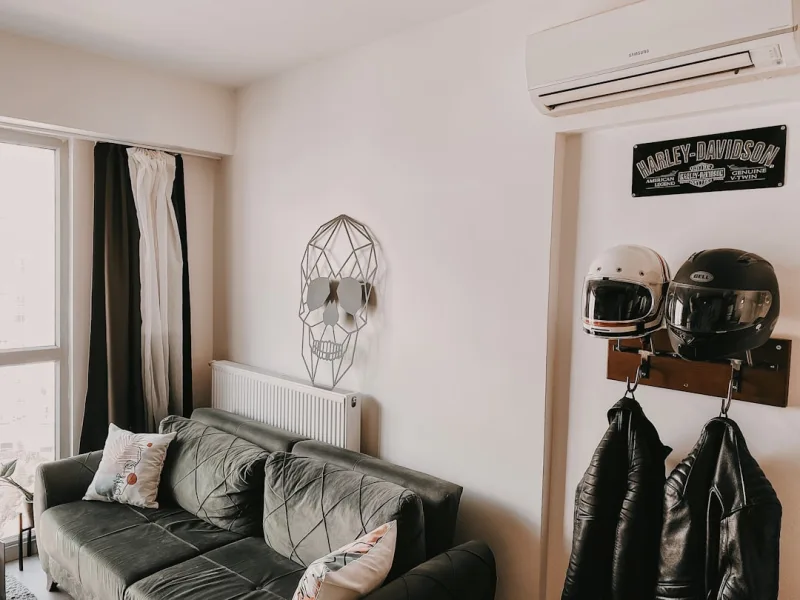
📷 Photo by Durmuş Kavcıoğlu on Unsplash