Elegant Apartment Setup with Smart Home Gadgets: Create Your Dream Cozy Smart Home
There's something absolutely magical about walking into your apartment and having everything just work—the lights warm to a perfect glow, your favorite music softly playing, and your home adjusting to exactly what you need without lifting a finger. For so many of us, this feels like pure fantasy, something reserved for futuristic homes or those with unlimited budgets. But here's the beautiful truth I've discovered: creating an elegant apartment setup with smart home gadgets isn't as complicated or expensive as it sounds. It's about thoughtfully blending technology with the cozy, beautiful aesthetic we all crave. Whether you're starting from scratch or looking to upgrade what you have, I'm here to show you how to create a space that's not just smart, but genuinely gorgeous and perfectly suited to how you actually live.

In this comprehensive guide, you'll discover everything you need to know about setting up a beautifully elegant apartment with smart home technology. We'll walk through how to plan your space thoughtfully, break down budgets for every spending level, introduce you to the best products that actually look good in your home, and give you step-by-step instructions to implement your vision. You'll learn which smart gadgets truly deserve a spot in your apartment, how to choose products that match your style, and how to avoid common mistakes that leave people with cluttered, complicated setups. By the time you finish reading, you'll feel confident and excited about creating your own smart, elegant sanctuary.

Understanding Elegant Apartment Setup with Smart Home Gadgets
An elegant apartment setup with smart home gadgets is essentially the art of integrating technology into your living space in a way that enhances your daily life while maintaining beauty, simplicity, and sophistication. It's not about having every gadget on the market—it's about being intentional with the technology you choose and ensuring it blends seamlessly with your décor and lifestyle.
The heart of this concept is balance. Smart home gadgets can genuinely improve how you live: automated lighting that adjusts to your circadian rhythm, thermostats that learn your preferences and save energy, security cameras that let you check on your home remotely, and voice assistants that handle tasks hands-free. But here's where many people go wrong—they add technology without considering the visual impact or whether it actually serves their needs. A beautiful apartment filled with mismatched devices, visible cables, and complicated setups loses its elegance fast.
Why does this matter? Because our homes are our sanctuary. They should make us feel calm, organized, and genuinely happy when we step through the door. When smart home gadgets are integrated thoughtfully, they enhance that feeling. When they're haphazardly thrown together, they create stress and clutter instead of comfort.
Common mistakes I see happen repeatedly: people buy smart devices without a plan, ending up with gadgets that don't work together; they choose products based on price alone, ending up with poor quality that frustrates them; they ignore the aesthetic impact, placing devices wherever is convenient rather than where they look good; and they overcomplicate things, adding so much technology that their apartment feels more like a control center than a home. The good news? All of these are completely avoidable with the right approach and planning.
Planning Guide for Elegant Apartment Setup with Smart Home Gadgets
Before you buy a single smart home device, you need a solid plan. This is honestly the most important step, and it's where most people skip ahead—don't do that. Taking time to plan will save you money, frustration, and regret down the road.
Start by walking through your apartment and thinking about your daily routines. Where do you spend the most time? What tasks feel tedious or repetitive? Where would technology genuinely improve your quality of life? For most people, this includes the entryway (security and atmosphere), the bedroom (comfort and sleep quality), the living room (entertainment and ambiance), the kitchen (efficiency and convenience), and the bathroom (comfort and safety).
Next, consider your aesthetic preferences. Do you love minimalist Scandinavian design? Are you drawn to warm, traditional styles? Do you prefer industrial elements or something more romantic and soft? Your smart home gadgets need to complement your existing décor, not clash with it. Choosing devices that match your style—in terms of color, materials, and overall vibe—is crucial for maintaining elegance.
Think about your budget range and which devices would give you the most value. Not all smart gadgets are created equal, and some are genuinely more useful than others. Finally, decide whether you want devices that work with a single ecosystem (like Apple HomeKit, Google Home, or Amazon Alexa) or if you're comfortable mixing and matching. Keeping everything on one platform makes life significantly easier.
Here's your planning checklist to get started:
- Assess your lifestyle: List your daily pain points and where technology could help
- Define your style: Collect inspiration images and identify your design aesthetic
- Prioritize rooms: Rank which spaces matter most for smart home integration
- Choose your ecosystem: Decide on Amazon Alexa, Google Home, Apple HomeKit, or Samsung SmartThings
- Set your budget: Determine overall spending and allocate across different categories
- Research products: Read reviews, check aesthetics, compare features across brands
- Plan placement: Think about where devices will live and how they'll be powered
- Consider scalability: Choose a foundation that lets you add devices over time

Budget Breakdown
← Scroll to see full table →
| Price Range | Smart Home Gadgets | Estimated Price |
|---|---|---|
| Under $50 | Smart bulbs (single), smart plugs, basic motion sensors | $15-$45 |
| Under $50 | Bluetooth speakers, door/window sensors | $20-$49 |
| $50-$200 | Smart thermostat, video doorbell, smart locks | $99-$179 |
| $50-$200 | Smart speaker hub, security camera, smart blinds | $60-$199 |
| $200+ | Premium security system, advanced lighting system | $200-$500+ |
| $200+ | Complete smart home bundle, professional installation | $300-$1000+ |
 94 DIY Home Decor Projects: Ideas for Every Budget
Let's talk real money for a second, because I know budget matters. The beautiful thing about smart home gadgets is that you don't need to buy everything at once. You can start small and build over time, which means you can stay within your budget while still creating something genuinely special.
For those with a tight budget, focus on smart bulbs and smart plugs first. These give you the biggest bang for your buck and completely change how your space feels. A Philips Hue starter kit runs around $40-60 and is absolutely worth it for the ambiance alone. Add a smart speaker like the Amazon Echo Dot (around $50) and you've got the foundation of your smart home for under $120.
If you have a mid-range budget ($200-500), you can add a smart thermostat, a video doorbell, and expand your lighting throughout your apartment. This is where your smart home really starts to feel functional and integrated. You'll notice real energy savings and convenience improvements.
With a larger budget, you can invest in premium products, multiple cameras, advanced automation systems, and perhaps even professional installation. The key is spreading costs over time. Buy one quality item per month rather than everything at once. This prevents buyer's remorse and lets you really test what works for your lifestyle before investing more.
Step-by-Step Guide
Step 1: Establish Your Smart Home Hub
Your hub is the brain of your smart home system. Every smart device communicates through this central point. Choose between Amazon Echo (Alexa ecosystem), Google Home, Apple HomePod Mini (HomeKit), or Samsung SmartThings Hub. For most people, the Amazon Echo Dot is the best starting point—it's affordable, widely compatible, and genuinely useful. Place it somewhere central, ideally your kitchen or living room, where you'll actually use voice commands. Make sure it's on wifi and connected to your Amazon account. This takes about 10 minutes and opens up a world of possibilities.
Step 2: Choose and Install Smart Bulbs
Smart bulbs are the most visible and impactful change you can make. They instantly transform your apartment's mood and functionality. Philips Hue is the gold standard for quality and design—the bulbs are attractive, reliable, and compatible with multiple ecosystems. Start with key rooms: your bedroom (for creating the perfect sleep environment), your living room (for ambiance), and your entryway (for welcome lighting). Replace 3-4 bulbs to start. Download the Hue app, add each bulb according to instructions, and experiment with brightness and color. You'll be amazed at how dramatically this changes your space. Most people spend 30 minutes getting this set up perfectly.
Step 3: Add Smart Plugs Strategically
Smart plugs let you control any device with power—lamps, fans, coffee makers, whatever. They're brilliant for automating things without replacing the devices themselves. Place them in your living room (for a floor lamp or TV), bedroom (for bedside lamp), and kitchen (for coffee maker). This automation is magical—imagine your coffee being ready when you wake up, or your bedroom lamp turning on automatically at dusk. Smart plugs are inexpensive ($15-25 each) and transform everyday items into smart devices. Installation is literally plug-and-play; just add them to your app and you're done.
Step 4: Upgrade Entry Security and Welcome
A video doorbell is your window to the outside world and a stunning design element. Choose something beautiful that matches your aesthetic—the Logitech Circle View or Nest Hello are gorgeous options. Installation might require a tiny bit of handiness, but it's definitely doable. You'll get notifications when someone approaches, can see and talk to visitors remotely, and have peace of mind knowing who's at your door. This step takes about 20-30 minutes and returns value every single day.
Step 5: Create Climate Comfort with a Smart Thermostat
A smart thermostat learns your preferences and automatically adjusts temperature, saving money and increasing comfort. The Nest Learning Thermostat or Ecobee are beautiful, intuitive options. Turn off your current thermostat at the breaker, take a photo of existing wiring, and follow installation instructions (or hire a handyman for $50-100). Once connected, it learns your routine—warming your apartment before you wake, cooling it before you arrive home. You'll save 10-15% on energy costs while being more comfortable. This is a worthwhile investment.
Step 6: Add Security with Cameras and Sensors
Security cameras give peace of mind and can be styled to blend with your décor. Choose indoor cameras for living spaces and outdoor cameras for entry points. Wyze Cam and Logitech Circle View offer excellent quality at reasonable prices. Door and window sensors ($20-30 each) alert you if someone opens an entry point. Place sensors on bedroom windows, the front door, and any ground-level access points. Install these throughout and monitor from your app. This usually takes 1-2 hours but provides incredible security reassurance.
Step 7: Automate and Personalize Scenes
This is where your smart home truly comes alive. Create "scenes"—preset configurations that activate multiple devices simultaneously. A "Good Morning" scene might turn on bedroom lights gradually, adjust temperature, and start your coffee maker. An "Arriving Home" scene might turn on entryway lights and unlock your smart lock. A "Movie Time" scene dims lights and turns on your TV. Setting these up takes 30 minutes but transforms daily routines. Use your hub's app to create scenes, then activate them via voice, app, or automation based on time or location. This personalization is what makes your smart home feel genuinely tailored to you.

Best Styles and Products
Minimalist Scandinavian Smart Home
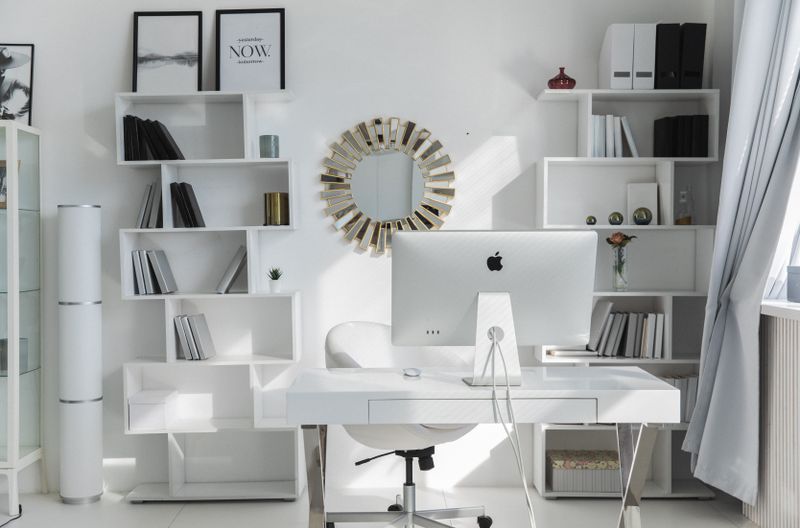
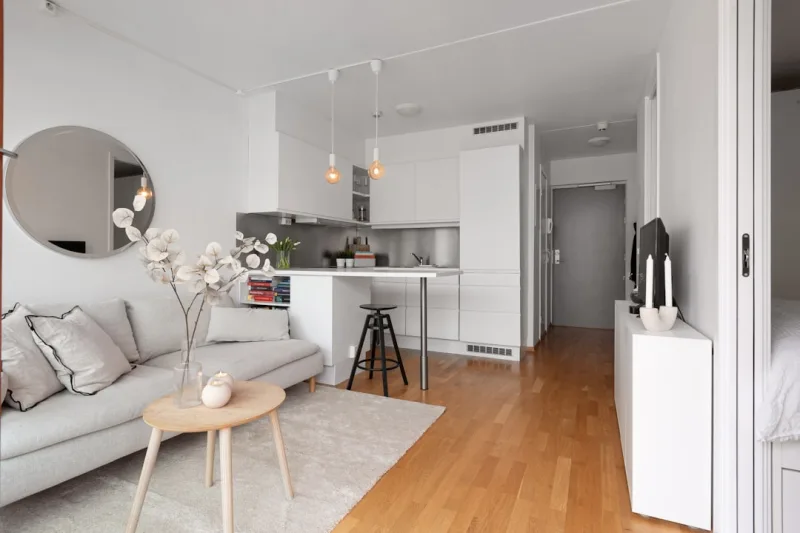
If you're drawn to clean lines, natural light, and understated elegance, choose white or black smart devices with simple design. This style embraces the beauty of technology without making it obvious. The Nanoleaf Essentials light panels ($200) create stunning geometric walls that look like modern art. Pair with white Philips Hue bulbs, minimal black Echo Dots hidden on shelves, and sleek black security cameras. Keep everything organized and visible cords hidden. This aesthetic is calming and sophisticated.
Warm Traditional Elegance
Love cozy, classic design? Choose warm brass or bronze finishes and warmer color temperatures for smart bulbs. The Better Homes & Gardens and Gardens smart lighting collection ($40-80) offers fixtures that look like traditional lamps but work with smart home systems. Add warm white Philips Hue bulbs (2